
A while back, we onboarded a client at Perform X Engine who had genuinely great content. Their blog was well written, their product pages were detailed, and their brand voice was strong. But their traffic barely moved for months. When we ran a full site audit, we found the real problem hiding underneath all that good content: broken internal links, a messy robots.txt file, no sitemap submitted to Google, and page speed that made visitors give up before the site even finished loading.
That experience is exactly why we always tell clients the same thing. Great content cannot save a website with a broken foundation. This is where technical SEO comes in, and honestly, it is the part of SEO that gets ignored the most, simply because it is invisible to most people.
In this guide, we are going to explain everything about technical SEO in plain, simple language, based on what we have personally learned while fixing real websites for real clients. We will answer what is technical SEO, walk through the core technical seo elements, share practical technical seo tips, and give you a full technical seo guide you can actually use, whether you are a marketer, developer, or business owner.
What Is Technical SEO?
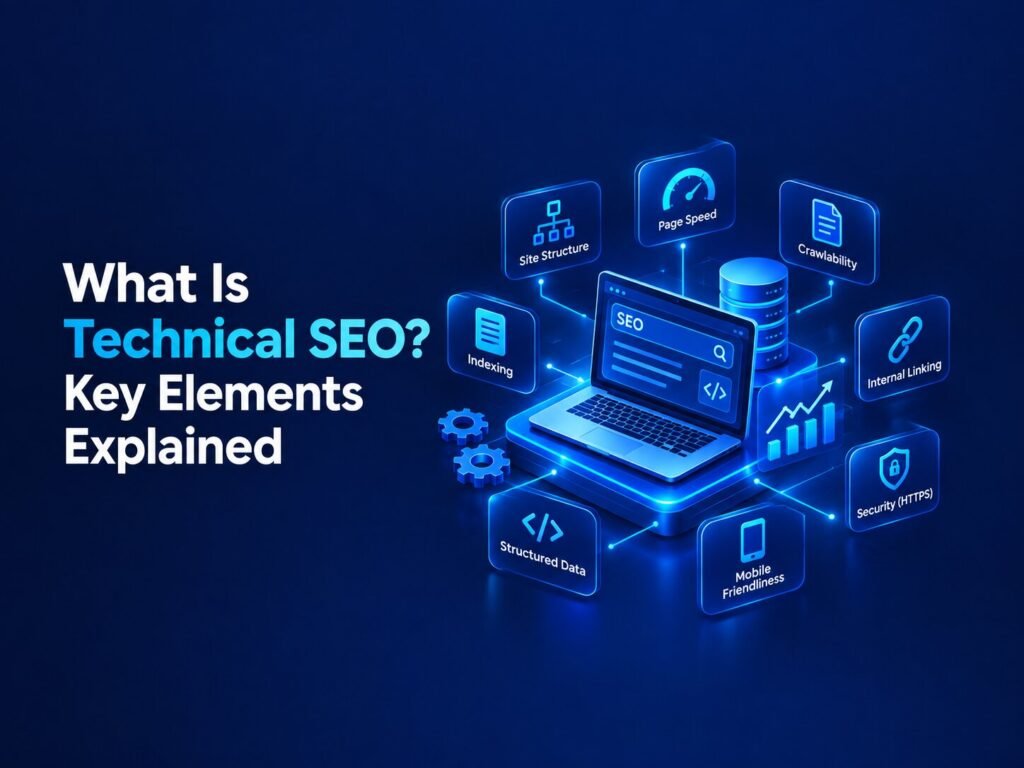
Let’s start with the basics, since this question comes up in almost every client meeting we have. Technical SEO is the process of optimizing your website’s backend structure so that search engines like Google can easily crawl, understand, and index your pages. It is different from content SEO or link building, because technical seo does not focus on what your content says. It focuses on whether search engines can even find and read that content in the first place.
Think of your website like a library. Content SEO is about writing good books. Technical SEO is about organizing the shelves, labeling the sections clearly, and making sure the doors are actually unlocked so visitors, and search engines, can walk in and find what they need.
If technical SEO is broken, it does not matter how good your content is. Search engines simply will not be able to access it properly, and neither will your visitors.
Why Technical SEO Matters More Than Most Businesses Realize
In our own experience managing SEO for clients across different industries, technical SEO is almost always the first thing we check, before we even look at keywords or content. Here is why it matters so much.
It controls whether your pages get indexed at all. If Google cannot crawl and index your pages, they simply will not appear in search results, no matter how well written they are.
It directly affects user experience. Slow loading pages, broken links, and confusing site structures frustrate real visitors, which increases bounce rates and hurts your rankings over time.
It is now essential for AI search visibility too. With AI tools like ChatGPT and Google’s AI Overviews pulling information from websites, a technically sound site is far more likely to be crawled, understood, and cited by these newer systems as well.
It builds a stable foundation for everything else. Content, backlinks, and keyword strategy all work better once the technical foundation is solid. Fixing technical SEO first is like fixing the plumbing before renovating a house.
Core Technical SEO Elements Every Website Needs
Now let’s walk through the essential technical seo elements that we personally check during every audit we run at PerformXEngine.
1. Crawlability
Crawlability is about whether search engines can actually access your pages. Google uses automated programs called crawlers to move from page to page through links, reading and understanding your website. If your site structure is messy, or important pages are buried deep with no internal links pointing to them, crawlers may simply miss them entirely.
A clean, logical site structure where every important page is just a few clicks away from your homepage makes a huge difference here.
2. Indexability
Even if a page is crawled, it still needs to be indexed, meaning Google actually stores it and considers it eligible to appear in search results. Sometimes pages get accidentally blocked from indexing through incorrect tags or settings, which is more common than people think, especially after a website redesign.
3. XML Sitemaps
An XML sitemap is essentially a map of your website that you hand directly to Google, listing all your important pages. Submitting this through Google Search Console helps search engines discover your content faster and more efficiently, especially on larger websites.
4. Robots.txt File
Your robots.txt file tells search engines which parts of your site they are allowed to crawl, and which parts they should skip. We have personally seen websites accidentally block their entire blog or product section through a single misplaced line in this file, which instantly kills their visibility.
5. HTTPS and Website Security
HTTPS encrypts the connection between your website and its visitors, protecting sensitive information. It has also been a confirmed ranking factor for years, and modern browsers now actively warn users when a site does not use it. If your website still shows “not secure” in the browser bar, this should be one of your very first fixes.
6. Page Speed
Page speed measures how quickly your website loads for visitors. This is one of the technical seo factors we focus on the most, because it affects both rankings and real user behavior. A slow website frustrates visitors and increases the chance they leave before your content even loads.
7. Mobile Friendliness
Since Google primarily uses the mobile version of your website for indexing and ranking, your mobile experience needs to match your desktop experience closely. Missing content, broken layouts, or tiny unreadable text on mobile can seriously hurt your rankings, even if your desktop site looks perfect.
8. Core Web Vitals
Core Web Vitals are a set of specific performance metrics Google uses to measure real user experience. These include how quickly your main content loads, how fast your page responds to clicks or taps, and how stable your layout is while loading. Improving these numbers consistently improves both user experience and search performance.
9. Structured Data
Structured data, also called schema markup, is extra code added to your pages that explains exactly what your content represents, like a product, a review, an event, or an article. This helps search engines understand your content more accurately, and can also help your pages appear with extra visual details in search results.
10. Canonical Tags
When similar or duplicate content exists across multiple URLs, canonical tags tell search engines which version is the “original” one that should be indexed and ranked. Without this, search engines may get confused and split your ranking potential across multiple duplicate pages.
11. Broken Links and Redirects
Broken links create dead ends for both users and search engines. Every broken internal or external link we find during an audit gets flagged immediately, since these small issues quietly waste crawl budget and damage user trust over time.
How to Do Technical SEO: A Simple Step by Step Guide
If you are wondering how to do technical seo for your own website, here is the exact approach we follow with our clients, broken down into manageable steps.
Step 1: Run a full site audit
Use a reliable SEO auditing tool to identify existing issues like broken links, missing tags, slow pages, and indexing problems.
Step 2: Fix crawlability first
Check your robots.txt file and site structure to make sure search engines can actually reach your important pages.
Step 3: Submit your sitemap
Create and submit an updated XML sitemap through Google Search Console so new content gets discovered faster.
Step 4: Secure your website with HTTPS
If your site is not already secure, install an SSL certificate and set up proper redirects from the old version.
Step 5: Improve your page speed
Compress images, minimize unnecessary code, and consider using a content delivery network to speed up loading times.
Step 6: Check mobile friendliness
Test your site on real mobile devices, not just a browser preview, to catch layout and readability issues.
Step 7: Add structured data where relevant
Implement schema markup for products, articles, reviews, or events to help search engines understand your content better.
Step 8: Monitor Core Web Vitals regularly
Use Google Search Console to track these metrics over time and fix issues as they appear.
Step 9: Audit for duplicate content and canonical issues
Make sure search engines know exactly which version of similar pages should be indexed.
Step 10: Repeat regularly
Technical SEO is not a one time task. New issues appear as your website grows, so we always recommend auditing every few months at minimum.
Technical SEO Elements Checklist Table
| Element | What It Does | Why It Matters |
| Crawlability | Lets search engines access your pages | Pages that cannot be crawled cannot rank |
| Indexability | Ensures pages are stored in search engine’s index | Required for any page to appear in results |
| XML Sitemap | Lists your important pages for search engines | Speeds up content discovery |
| Robots.txt | Controls what search engines can access | Prevents accidental blocking of key pages |
| HTTPS | Secures your website connection | Confirmed ranking factor and builds trust |
| Page Speed | Measures how fast your site loads | Affects rankings and user experience |
| Mobile Friendliness | Ensures usability on mobile devices | Google primarily indexes the mobile version |
| Core Web Vitals | Measures real user experience metrics | Directly tied to rankings and usability |
| Structured Data | Explains content meaning to search engines | Improves understanding and rich results |
| Canonical Tags | Identifies the original version of a page | Prevents duplicate content confusion |
Common Technical SEO Mistakes We See All the Time
Based on the audits we have personally run over the years, here are the mistakes that show up again and again:
- Accidentally blocking important pages in the robots.txt file
- No XML sitemap submitted, or an outdated one that no longer matches the site
- Ignoring mobile experience while focusing only on desktop design
- Uncompressed images and unnecessary code slowing down page speed
- Duplicate content across multiple URLs with no canonical tags in place
- Never checking Core Web Vitals, then wondering why rankings are stuck
- Treating technical SEO as a one time task instead of an ongoing habit
Technical SEO Tips for Better Results
Here are a few extra technical seo tips we always share with clients who want to see faster improvement:
- Always test your website after any major redesign, since layout or code changes often break existing technical SEO elements without anyone noticing
- Keep only one version of your website accessible, either with or without “www,” to avoid splitting your ranking signals
- Use breadcrumb navigation on larger websites to help both users and search engines understand page relationships
- Avoid infinite scroll without proper pagination, since search engines may not fully access dynamically loaded content
- Regularly check Google Search Console for crawl errors, security issues, and indexing reports
Technical SEO and the Rise of AI Search (AEO, GEO, AIO)
Search is changing quickly, and technical SEO is now just as important for AI search as it is for traditional Google rankings. Tools like ChatGPT, Gemini, and Google’s AI Overviews rely on being able to access, read, and understand your website clearly before they can reference or cite your content.
This is why our approach to technical seo today always includes these AI focused principles:
- Ensure important content loads directly in the HTML, since many AI crawlers do not process JavaScript the same way Google does
- Keep your site structure clean and consistent, so both search engines and AI systems can easily understand how your pages relate to each other
- Make sure your robots.txt file allows relevant AI crawlers, if you want your content to be discoverable in AI powered search experiences
- Use consistent naming and descriptions across your titles, headings, and structured data, since mismatched information confuses AI systems trying to interpret your content
- Maintain fast loading speed and clean code, since both AI systems and traditional search engines favor sites that are easy to process quickly
Building your website with these principles in mind future proofs your visibility across traditional search, AI Overviews, and the growing number of AI powered answer engines.
Final Thoughts From Our Team
If there is one thing we want every business owner to understand, it is this: technical SEO is the foundation everything else is built on. You can have the best content, the smartest keyword strategy, and the strongest backlinks, but none of it matters if search engines cannot properly access and understand your website.
Start with the basics. Check your crawlability, fix your page speed, secure your site with HTTPS, and make sure your mobile experience is solid. These simple, foundational fixes are exactly what helped our own clients see real, measurable improvements in their search visibility.
If you want expert help auditing and fixing your website’s technical SEO, the team at Perform X Engine would be glad to walk through your site and show you exactly where the opportunities are hiding.
Frequently Asked Questions About Technical SEO
What is technical SEO in simple terms?
Technical SEO is the process of optimizing a website’s backend structure, like speed, crawlability, and security, so search engines can easily access, understand, and index its content.
What are the most important technical seo elements?
The most important technical seo elements include crawlability, indexability, page speed, mobile friendliness, HTTPS, structured data, and Core Web Vitals.
How to do technical seo without a developer?
Many basic technical seo tasks, like submitting a sitemap, checking mobile friendliness, and compressing images, can be done without coding knowledge, though more advanced fixes like structured data or JavaScript rendering usually need developer support.
What are common technical seo factors that affect rankings?
Common technical seo factors include page load speed, mobile usability, secure HTTPS connections, proper indexing, and clean site architecture that search engines can easily crawl.
How often should technical SEO be audited?
We recommend auditing your website’s technical SEO at least once every few months, and immediately after any major redesign or platform migration.