
A few months into managing SEO for one of our early clients at Perform X Engine, we noticed something strange. Their blog content was solid, their keywords were on point, but their organic traffic was still lower than we expected. When we dug deeper, we found the real problem. Every single image on their site had a file name like IMG_2847.jpg, no alt text anywhere, and images so heavy that the page took almost six seconds to load.
That one discovery taught us a lesson we now share with every client. Image SEO is not a small detail you fix at the end. It is a real ranking factor, and ignoring it quietly costs businesses traffic every single day, often without them even realizing it.
In this guide, we are going to explain everything about image SEO, using what we have personally learned while optimizing hundreds of images across different client websites. We will keep the language simple, walk through real examples, and give you practical SEO tips for images you can start using today, whether you are a marketer, a business owner, or just curious about what is image optimization in SEO.
What Is Image SEO?
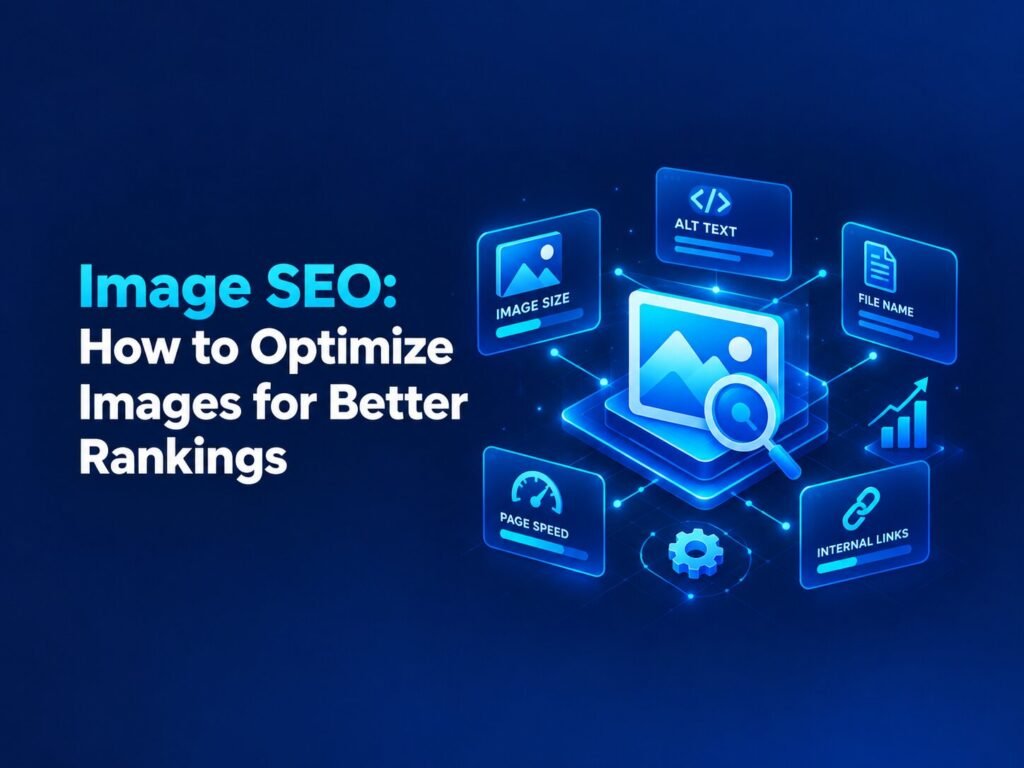
Let’s start with the basics. Image SEO, also called SEO for images, is the process of making the images on your website easier for search engines to understand, and faster for real users to load. It includes things like naming your image files correctly, writing helpful alt text, choosing the right file format, compressing images properly, and organizing them in a way that search engines can crawl and index.
In simple words, image SEO answers one question for Google: “What is this picture, and why should I show it to someone searching for this topic?” If your images cannot answer that question clearly, you are missing out on a huge source of free, organic traffic.
What Is Image Optimization in SEO, Really?
A lot of people confuse image optimization with just “making the image smaller.” That is only one small part of it. When we get asked what is image optimization in SEO during client calls, we always explain it in two parts.
The first part is technical optimization, which includes file size, format, and loading speed. The second part is contextual optimization, which includes file names, alt text, captions, and how the image relates to the content around it. Both parts matter equally. A perfectly compressed image with no context will not rank well, and a perfectly described image that takes ten seconds to load will hurt your user experience and your rankings.
Why Image SEO Matters More Than Most Businesses Realize
Here is something that genuinely surprised us early on. Image search is one of the largest sources of search volume on the internet, right behind regular web search. That means millions of people are searching directly through Google Images every single day, looking for products, ideas, inspiration, and answers.
If your images are not optimized, you are invisible in that entire channel. On top of that, unoptimized images are one of the most common reasons websites load slowly, and page speed is a confirmed ranking factor for Google. So when you improve your image seo, you are not just chasing rankings in image search. You are also improving your overall page speed, user experience, and accessibility, all at the same time.
We have personally seen clients gain a noticeable percentage of new organic traffic purely from image search, just by fixing things that took us only a few hours to implement.
How to Do Image SEO: Step by Step
Based on everything we have implemented across real client websites, here is our complete, practical approach to image seo, broken down into simple steps.
1. Choose the Right Images First
Before any technical work, ask yourself if the image actually adds value. In our experience, businesses often add images just to “fill space,” which only slows the page down without helping the reader. Use images that genuinely support your content, whether that is a product photo, a diagram, or a real screenshot.
2. Name Your Image Files Properly
This is one of the easiest and most overlooked SEO tips for images. A file like DSC004521.jpg tells Google absolutely nothing. Renaming it to something like red-leather-office-chair.jpg immediately gives search engines useful context about what the image actually shows.
Keep file names short, descriptive, and natural. Avoid stuffing multiple keywords into one file name, since that looks spammy and does not actually help your rankings.
3. Write Clear and Honest Alt Text
Alt text, short for alternative text, describes your image for search engines and for users who cannot see it, including people using screen readers. This is one of the most important parts of image seo, and honestly, one we check first during any audit.
Good alt text is simple and descriptive, like “a woman drinking coffee while working on a laptop.” Avoid keyword stuffing here too, such as writing “coffee shop coffee best coffee near me coffee deals,” since this actually hurts accessibility and can look manipulative to search engines.
4. Compress Your Images Without Losing Quality
Large, uncompressed images are one of the biggest reasons websites load slowly. Compressing an image reduces its file size while keeping the visual quality close to the original. In our own workflow, we usually aim for a quality balance that keeps images sharp but significantly lighter than the original upload.
There are many free and paid tools available for this, and many website platforms now offer built in compression as well, which makes this step easier than it used to be.
5. Use the Right Image Format
Different image types need different formats. Photographs generally work best as JPEG. Logos, icons, and simple graphics work best as PNG or SVG. For most modern websites, formats like WebP offer even better compression without sacrificing quality, and we now recommend WebP as a default wherever possible.
Choosing the correct format is a small decision that has a surprisingly large impact on both page speed and image seo performance.
6. Make Your Images Responsive
Not every device needs the same image size. A massive desktop sized image loaded on a small mobile screen wastes bandwidth and slows down the page for no real benefit. Using responsive image techniques allows the browser to automatically load the right size image based on the user’s device, which improves both speed and user experience.
7. Add Descriptive Captions Where They Help
Captions are the short text that often appears just below an image. People tend to read captions even when they skim the rest of a page, so adding a helpful caption can improve engagement while giving search engines even more context about the image and the surrounding content.
8. Organize Images With a Clean URL Structure
Where you store your images matters too. Instead of dumping every image into one generic folder, organize them logically, such as by category or topic. A clear folder structure, paired with a descriptive file name, gives search engines a stronger signal about what your image and page are actually about.
9. Use Lazy Loading for Better Speed
Lazy loading means images only load when a user actually scrolls close to them, instead of loading everything at once when the page opens. This significantly improves initial page load time, especially on pages with many images, and is now considered a standard best practice for both user experience and SEO.
10. Submit an Image Sitemap
If your website has a large number of images, submitting an image sitemap helps search engines discover and index them more efficiently. Most modern website platforms generate this automatically, but it is always worth double checking, especially for ecommerce sites with thousands of product images.
Common Image SEO Mistakes We See All the Time
After auditing many websites over the years, we keep running into the same recurring mistakes. Here are the ones we see most often:
- Uploading images with random, unnamed file names straight from a camera or phone
- Leaving alt text completely empty, or stuffing it with unrelated keywords
- Using massive, uncompressed images that slow down the entire page
- Loading decorative background images through CSS instead of proper HTML image tags, which search engines often cannot read the same way
- Never testing page speed after adding new images
- Ignoring mobile responsiveness for images entirely
Fixing even two or three of these issues can noticeably improve both your site speed and your visibility in image search results.
Image SEO Checklist Table
| Task | Why It Matters | Quick Tip |
| Descriptive file names | Helps search engines understand the image | Use hyphens, avoid random file names |
| Alt text | Improves accessibility and search context | Describe the image naturally |
| Compression | Improves page speed | Balance quality and file size |
| Correct format | Reduces file size, keeps quality | Prefer WebP where supported |
| Responsive images | Improves mobile experience | Serve the right size per device |
| Lazy loading | Speeds up initial page load | Load images as users scroll |
| Image sitemap | Improves discoverability | Especially useful for large sites |
Image SEO and the Rise of AI Search (AEO, GEO, AIO)
Search behavior is changing quickly, and this matters just as much for images as it does for text content. People are now using AI tools like ChatGPT, Gemini, and Google’s AI Overviews to find visual answers, product ideas, and design inspiration, not just typing into a traditional search bar.
This is why image seo today needs to think beyond just Google Images. To perform well across traditional search, AI Overviews, and answer engines, here is what we personally focus on:
- Write alt text and captions that clearly describe the image in natural, plain language, since AI systems rely heavily on this text to understand visual content
- Keep images close to relevant, well structured text, since AI models use surrounding context to understand what an image represents
- Use clean, descriptive file names and organized folder structures, which make it easier for both search engines and AI crawlers to understand your content
- Ensure fast loading speed, since AI powered search experiences tend to favor pages that load quickly and reliably
- Avoid keyword stuffing anywhere in image metadata, since AI systems are increasingly good at detecting unnatural, manipulative text
Building image seo this way future proofs your website for wherever search is heading next, not just where it is today.
Final Thoughts From Our Team
If there is one thing we want every business owner to take away from this guide, it is this: image seo is not just a technical checkbox, it is one of the simplest ways to unlock traffic that most of your competitors are still ignoring. Every image on your website is an opportunity, either to help your rankings or quietly hurt them.
Start small. Rename your files, write honest alt text, compress your images, and keep testing your page speed. These simple habits, done consistently, are exactly what helped our own clients see real, measurable improvements in both search visibility and site performance.
If you want expert help auditing and optimizing your website’s images, the team at Perform X Engine would be happy to walk through your site and show you exactly where the opportunities are hiding.
Frequently Asked Questions About Image SEO
What is image SEO?
Image SEO is the process of optimizing images on your website, including file names, alt text, format, and file size, so they rank better in search results and load faster for users.
What is image optimization in SEO exactly?
Image optimization in SEO involves two main parts: technical optimization, like compression and format, and contextual optimization, like descriptive file names and alt text that help search engines understand the image.
What are the best SEO tips for images for beginners?
Beginners should start with three things: renaming image files descriptively, writing clear alt text, and compressing images properly before uploading them to their website.
Does image SEO actually affect Google rankings?
Yes. Optimized images improve page load speed, which is a confirmed ranking factor, and they also allow your images to appear in Google Image Search, which brings in additional organic traffic.
How long does it take to see results from image SEO?
In our experience, page speed improvements can show results within days, while ranking improvements in image search can take a few weeks, depending on how frequently your site is crawled.