
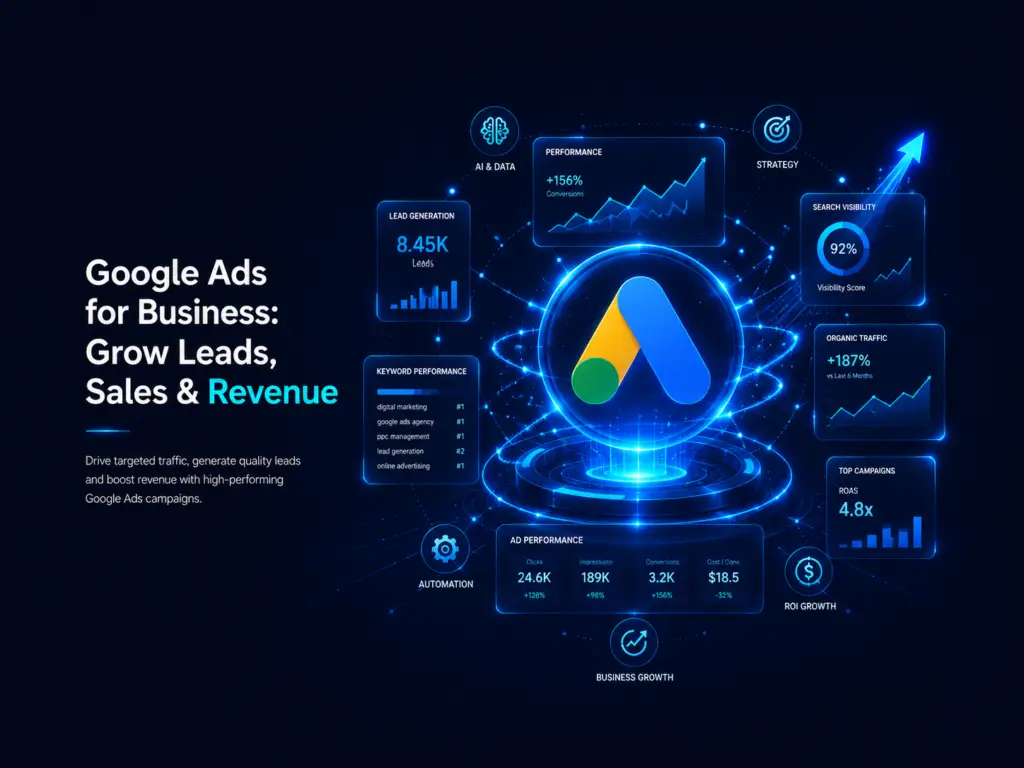
If you’ve ever searched for a product or service on Google, you’ve almost certainly seen a few results at the top of the page marked “Sponsored.” That’s Google Ads in action, and if you’re a business owner exploring paid marketing for the first time, you’re probably asking the most important question first: what is Google Ads, and is it actually worth investing in for your business?
This guide is your starting point. As one of the main pillar pages in our digital marketing cluster, we’re covering every major part of Google Ads here, briefly and practically, so you walk away with a solid foundation. In the coming weeks, we’ll publish detailed guides on each subtopic linked from this page, going deeper into campaign types, bidding strategies, and optimization tactics.
What Is Google Ads? The Simple Definition
Let’s start with the basics. What is Google Ads? Google Ads (formerly known as Google AdWords) is Google’s online advertising platform that allows businesses to display ads across Google Search, YouTube, Gmail, Google Maps, and millions of partner websites in the Google Display Network.
In simple terms, it’s a pay-per-click (PPC) advertising system. Instead of waiting months for organic SEO efforts to show results, businesses can pay to appear instantly at the top of search results or across the web, targeting exactly the audience most likely to become a customer.
So when someone asks what is Google Ads in one sentence, the answer is this: it’s a paid advertising platform that puts your business in front of people at the exact moment they’re searching for what you offer.
Why Business Owners Should Care About Google Ads
Understanding what is Google Ads is only half the picture. The real question is why it matters for your business specifically.
Here’s the reality: your ideal customers are searching on Google right now, whether it’s for “emergency plumber near me,” “best CRM software for small business,” or “affordable wedding photographer in Ahmedabad.” If your business isn’t showing up in those results, a competitor is capturing that lead instead.
For business owners, Google Ads offers a few distinct advantages:
- Instant visibility. Unlike SEO, which takes months to build momentum, Google Ads can put you at the top of search results the same day your campaign goes live.
- Precise targeting. You can target by location, device, time of day, demographics, interests, and even the specific keywords people are searching.
- Measurable ROI. Every click, call, and conversion can be tracked, so you know exactly what you’re getting for your budget.
- Full budget control. You decide how much to spend daily or monthly, and you can pause or adjust campaigns anytime.
How Do Google Ads Work? Understanding the Basics
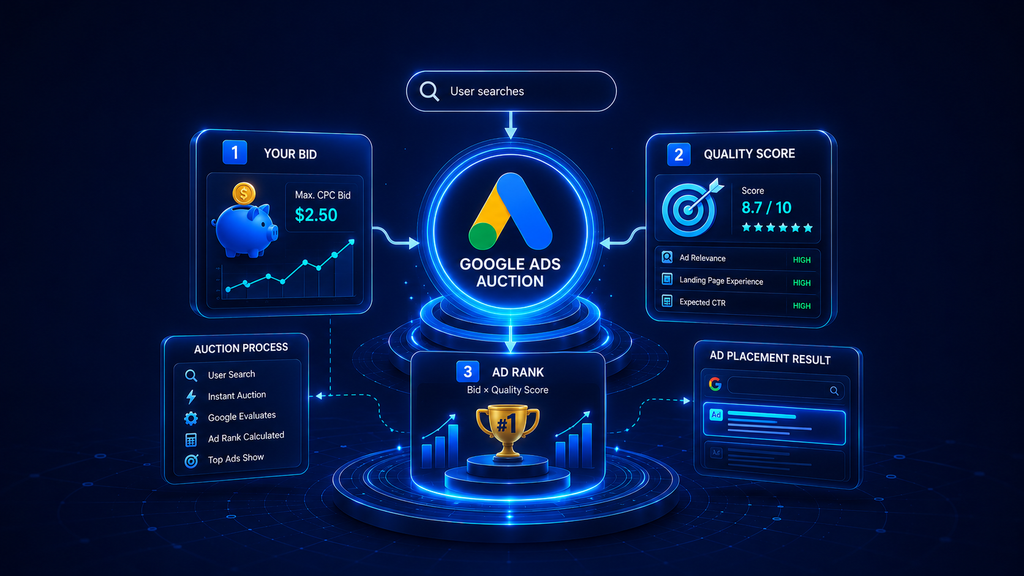
Now let’s get into how do Google ads work in practice. At its core, Google Ads runs on an auction system. Businesses bid on specific keywords relevant to their products or services, and when someone searches for those terms, Google runs an instant auction to decide which ads appear and in what order.
But here’s the part many business owners don’t realize: the highest bidder doesn’t always win. Google also factors in something called Quality Score, which measures how relevant and useful your ad, keywords, and landing page are to the person searching. A well-optimized ad with a high Quality Score can outrank a competitor who’s bidding more but has a poorly targeted campaign.
So, in short, how do Google ads work comes down to three main factors:
- Your bid – how much you’re willing to pay per click.
- Your Quality Score – how relevant and useful Google considers your ad.
- Ad Rank – the combination of your bid and Quality Score that determines your position.
How Does Google Ads Works Behind the Scenes: The Full Process
To really understand how does Google ads works from start to finish, it helps to walk through the entire journey, from setup to sale.
- Keyword research. You identify the search terms your potential customers are typing into Google.
- Campaign creation. You choose a campaign type (Search, Display, Shopping, Video, or Performance Max) and set your budget, targeting, and goals.
- Ad creation. You write compelling ad copy with headlines, descriptions, and extensions that encourage clicks.
- The auction. When someone searches a matching keyword, Google runs an auction among all eligible advertisers.
- Ad placement. Based on Ad Rank, your ad appears in a specific position on the search results page, YouTube, or across the Display Network.
- The click and conversion. A user clicks your ad, lands on your website or landing page, and (hopefully) takes an action, such as filling a form, calling, or making a purchase.
- Tracking and optimization. You monitor performance data and continuously refine keywords, bids, and ad copy to improve results over time.
This cycle repeats constantly, which is exactly why Google Ads management is treated as an ongoing strategy rather than a one-time setup. Once you see how does Google ads works as a full loop rather than a single step, it becomes much easier to spot where your own campaigns might be losing performance.
Google Ads Explained: The Main Campaign Types
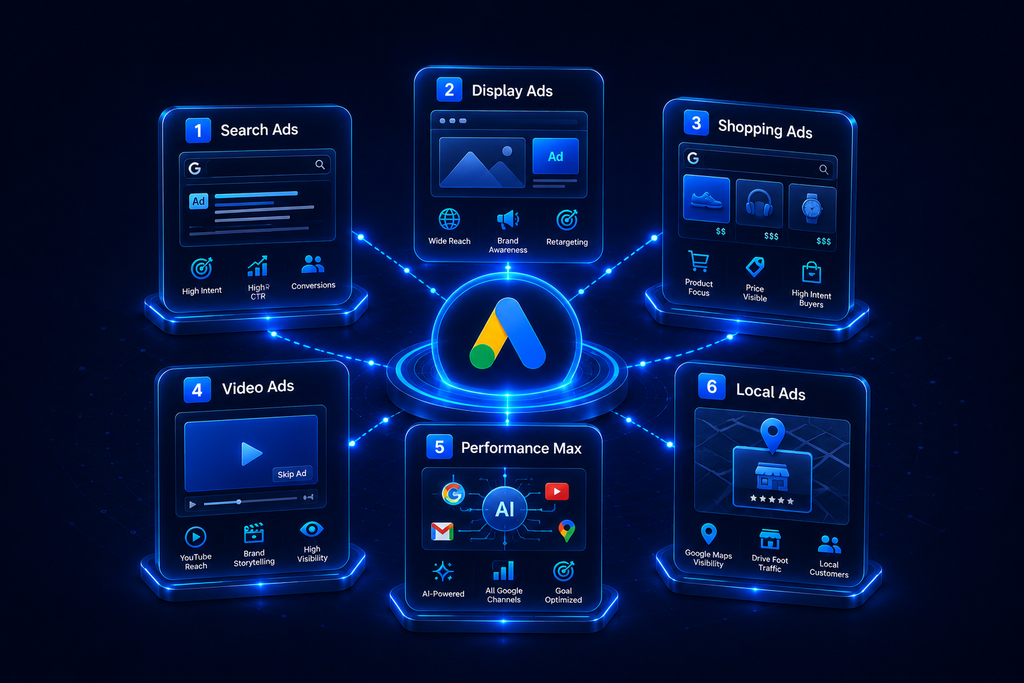
Since this is a pillar page, we won’t go deep into each format here, but having Google Ads explained at a glance will help you understand which options might suit your business. Think of this as Google Ads explained in miniature, a quick reference you can come back to as you decide where to start.
1. Search Ads
These are the text ads that appear at the top of Google search results when someone types a relevant query. They’re ideal for capturing high-intent customers who are actively looking to buy or inquire.
2. Display Ads
Visual banner ads that appear across millions of websites, apps, and Gmail through the Google Display Network. These work well for brand awareness and retargeting past visitors.
3. Shopping Ads
Product-based ads that show an image, price, and store name directly in search results. Perfect for e-commerce businesses looking to showcase specific products.
4. Video Ads
Ads that run on YouTube before, during, or alongside video content. Great for storytelling and building brand recognition.
5. Performance Max
A newer, AI-driven campaign type that automatically shows ads across all Google platforms (Search, Display, YouTube, Gmail, and Maps) from a single campaign, optimized by machine learning to hit your specific goals.
6. Local Ads
Designed for businesses with physical locations, these ads help drive foot traffic by appearing on Google Maps and local search results.
Why Every Business, Not Just Big Brands, Should Consider Google Ads
A common myth is that Google Ads is only for large companies with massive marketing budgets. In reality, small and mid-sized businesses often see some of the best returns, because Google Ads lets you compete based on relevance and targeting rather than sheer budget size.
Whether you run a local service business, an online store, a B2B consultancy, or a healthcare practice, your customers are searching for solutions right now. Google Ads puts you directly in front of them, at the exact moment of intent, which is something very few other marketing channels can offer.
Combined with a strong SEO foundation, Google Ads becomes even more powerful. SEO builds long-term organic visibility, while Google Ads delivers immediate, scalable results, together giving your business both short-term wins and long-term growth.
How Much Should a Business Budget for Google Ads?
One of the most common questions we hear from business owners is: how much does Google Ads actually cost? The honest answer is that it varies widely depending on your industry, competition, and goals.
Google Ads runs on a cost-per-click (CPC) model, meaning you only pay when someone clicks your ad, not just for it being shown. CPCs can range from a few cents to well over a thousand rupees per click for highly competitive industries like legal services, insurance, or finance.
A few factors that influence your budget:
- Industry competitiveness. More advertisers bidding on the same keywords drives costs up.
- Campaign goals. Lead generation, e-commerce sales, app installs, and brand awareness all have different cost structures.
- Quality Score. Better-optimized campaigns often achieve lower costs per click, since Google rewards relevance.
- Geographic targeting. Advertising in competitive metro areas typically costs more than smaller local markets.
Rather than asking “how much should I spend,” a more useful question is “what result am I trying to buy?” Setting a budget around a clear goal, such as a target number of leads or a target cost per acquisition, gives your campaigns direction and makes performance much easier to measure.
Getting Started: What a Business Owner Actually Needs
If you’re considering running your first campaign, here’s a quick snapshot of what’s typically required before launch:
- A functioning website or landing page where clicks can convert into leads or sales.
- A Google Ads account, linked to Google Analytics and, ideally, Google Search Console for tracking.
- Clear campaign goals, whether that’s phone calls, form submissions, purchases, or store visits.
- Conversion tracking setup, so you can measure what’s actually working.
- A realistic starting budget, even a modest one, to gather data before scaling up.
Many business owners try running campaigns themselves at first, which is a reasonable way to learn the platform. But as budgets grow and competition increases, most eventually turn to a specialist or agency to manage bidding strategies, ad testing, and optimization on an ongoing basis, since even small inefficiencies can quietly drain a budget over time.
Common Google Ads Myths Business Owners Should Ignore
Before we wrap up, let’s clear up a few misconceptions that often confuse business owners exploring paid advertising for the first time:
- “Google Ads is too expensive for small businesses.” In reality, you set your own budget, even a few hundred rupees or dollars a day can generate meaningful results when campaigns are properly optimized.
- “More budget always means better results.” Without proper keyword targeting, ad copy, and landing pages, a bigger budget just means faster wasted spend.
- “You only need to set it up once.” Google Ads requires ongoing monitoring and optimization to keep costs down and performance up.
- “Clicks automatically mean sales.” A click only gets someone to your website; conversion depends on your landing page, offer, and overall user experience.
Final Thoughts: What Is Google Ads for Your Business, Really?
So, circling back to where we started: what is Google Ads? At its core, it’s one of the fastest and most measurable ways to put your business in front of customers who are actively searching for what you offer, whether that’s a product, a service, or a solution to a problem.
This guide covered what is Google Ads, how do Google ads work, and the full process behind how does Google ads works, along with the main campaign types with Google Ads explained in brief, but this is just the foundation. In our upcoming cluster blogs, we’ll break down keyword research, campaign setup, bidding strategies, Quality Score optimization, and conversion tracking in much greater detail.
If you’re a business owner who’s serious about generating consistent leads and sales but doesn’t have the time or expertise to manage campaigns effectively, that’s exactly where a dedicated digital marketing partner like Perform X Engine can help, turning this foundational understanding of Google Ads into a real, measurable growth strategy for your business.